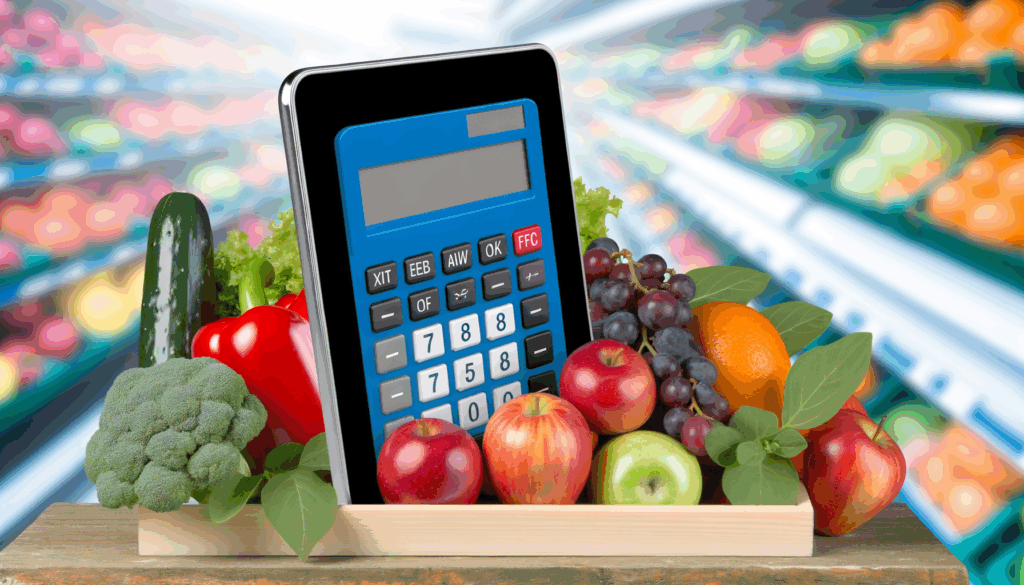
Hybrid apps are a practical way to deliver nutrition tools across iOS and Android without maintaining separate codebases, and hybrid app calorie calculator cloud setups can make that experience faster to build, easier to update, and simpler to scale. With Calorie Calculator Cloud, teams can embed a flexible calorie calculator into a mobile-first product, connect it to marketing workflows, and keep the user experience consistent across platforms.
Why hybrid apps are a smart fit for calorie calculation
Hybrid apps are designed to run on multiple platforms from one codebase, which makes them attractive for fitness brands, gyms, wellness startups, and nutrition businesses that need speed and efficiency. A cloud-based calculator fits that model well because the calculation logic, form structure, and data handling can be managed centrally instead of being hardcoded into each native app build.
For health and fitness products, that centralization matters. It lets you refine the calculator over time, adjust questions, change layouts, and improve user flows without forcing a full app release for every update. Calorie Calculator Cloud supports flexible deployment options, including custom landing pages and embedding into existing sites or app-connected experiences.
That means a hybrid app can present a polished in-app calorie tool while the underlying calculator remains cloud-managed. For businesses, the result is less maintenance, faster iteration, and a better chance of turning app traffic into qualified leads.
How Calorie Calculator Cloud works inside a hybrid app experience
According to Calorie Calculator Cloud’s own documentation, the workflow is straightforward: choose a plan, customize the calculator in the dashboard, generate the embed code, paste it into your page or app-connected container, and go live. That structure is ideal for hybrid app teams because it separates product presentation from logic and configuration.
The platform also notes that it works with common CMS and web ecosystems such as WordPress, Shopify, and Wix, which is useful when a hybrid app shares content or authentication with a companion website. The same calculator can therefore support multiple acquisition channels, from mobile screens to landing pages and email campaigns.
For a brand building a hybrid app calorie calculator cloud workflow, this creates a clean architecture:
- The hybrid app handles navigation, login, and user experience.
- Calorie Calculator Cloud handles the calculator interface and result logic.
- Integrations handle follow-up actions such as email capture, CRM sync, and lead routing.
Best use cases for fitness and nutrition brands
Hybrid apps are especially effective when the calculator is part of a broader journey rather than a standalone utility. That includes weight-loss programs, gym onboarding flows, nutrition coaching, supplement funnels, and meal-planning products.
Calorie Calculator Cloud’s integration guide for gym apps highlights several useful deployment patterns, including custom landing pages, instant on-screen results, email delivery of results, and marketing integrations such as ConvertKit, HubSpot, and Mailchimp. Those features are particularly valuable in hybrid apps because the app can act as both a service and a lead-generation engine.
Examples of strong use cases include:
- A gym app that asks new members about goals and body metrics before recommending calorie targets.
- A weight-loss coaching app that captures leads and routes them to a sales team through HubSpot.
- A meal-planning app that uses a calculator as a top-of-funnel conversion tool before membership signup.
- A supplement brand app that personalizes nutrition guidance and then recommends product bundles.
Why cloud delivery reduces friction for hybrid development
One of the biggest advantages of a cloud-managed calculator is operational simplicity. In a typical hybrid app project, teams spend time maintaining logic, data validation, and UI consistency across updates. With Calorie Calculator Cloud, the configuration lives in the cloud and the app can consume the result through an embed or page-based experience.
That approach is helpful for teams using frameworks such as React Native, Ionic, or Flutter because it keeps the calculator implementation modular. Rather than rebuilding the tool every time the nutrition strategy changes, product owners can adjust it centrally and redeploy only the relevant screen or module.
For fast-moving health and fitness businesses, that means fewer bottlenecks and better responsiveness to user feedback. If a calculator field needs to change from “activity level” to “weekly workout frequency,” the update can happen in the cloud dashboard rather than in a full app release cycle.
Core features that matter most in hybrid app calorie tools
Not every calculator feature matters equally. In hybrid apps, the best-performing tools are usually the ones that are simple enough for mobile users to complete quickly but detailed enough to generate useful results.
Based on the platform guidance and related app-building best practices, the most valuable features include custom field order, one- or two-column layouts, instant result display, email delivery, and integration support.
- Customizable fields for goals, age, weight, height, activity level, and target outcome.
- Flexible layouts that adapt to mobile screens and hybrid web views.
- Instant calculations to reduce drop-off and keep users engaged.
- Email capture for follow-up nurturing and lead generation.
- CRM and email integrations to automate sales and onboarding workflows.
These features align with broader nutrition app development guidance, which emphasizes scalable architecture, real-time processing, secure data handling, and integration with external services.
Recommended architecture for a hybrid app calorie calculator
A practical architecture for a hybrid app usually separates the user interface from the calculation and data layers. That mirrors standard app-development recommendations for recipe and calorie tools, where the data layer stores nutrition logic, the logic layer performs calculations, and the presentation layer displays results.
In a hybrid deployment, this can look like:
- Frontend shell built with React Native, Flutter, Ionic, or another hybrid framework.
- Embedded calculator module provided by Calorie Calculator Cloud.
- Backend integrations for CRM, email, analytics, and user segmentation.
- Optional secure storage for user profiles, goals, and saved results.
Industry guidance for nutrition app development also recommends cloud-based backends such as AWS, Firebase, or Azure for scalability, along with secure authentication and reliable data storage. If your hybrid app includes accounts or personalized dashboards, those layers become even more important.
How to embed the calculator into a hybrid app workflow
Calorie Calculator Cloud explains that the setup process begins with selecting a plan, customizing the calculator, generating embed code, and pasting that code into your chosen destination. For hybrid apps, that destination may be an in-app web view, a hosted content page, or a companion landing page tied to the app.
A useful implementation sequence is:
- Define the calculator’s goal, such as lead capture, coaching intake, or daily calorie estimation.
- Choose the calculator layout and fields in the dashboard.
- Generate the embed or page code.
- Place the calculator into the hybrid app screen or connected web view.
- Connect the calculator to email and CRM tools for follow-up.
- Test mobile responsiveness across different devices and operating systems.
That workflow keeps your app flexible while still giving users a polished experience. If your team wants to compare options, the Calorie Calculator Plans page is the best place to review plan details before implementation.
Real-world examples of hybrid app implementations
Fitness businesses often use calculators in onboarding and conversion flows. Calorie Calculator Cloud’s gym-app integration guide describes how the tool can be added to a mobile app to improve user experience and gather useful data for marketing and coaching.
Here are a few realistic examples of how hybrid apps can use the platform:
- A boutique gym app asks new members for body metrics and target goals, then emails a personalized calorie target after signup.
- A wellness coach app embeds a calculator into a hybrid onboarding flow, then sends the result to Mailchimp for segmented email sequences.
- A nutrition startup uses the calculator as the first step in a broader meal-planning journey, keeping the interface consistent across Android and iPhone.
- A transformation challenge app uses calculator results to qualify users before they enter a premium coaching funnel.
These patterns are especially effective because the calculator does more than calculate. It also qualifies leads, educates users, and increases the likelihood of downstream conversion.
Comparing hybrid app deployment with native app deployment
For most early-stage fitness products, a hybrid app is the faster and more cost-effective choice. Native app development can provide deeper platform-specific control, but it usually requires separate iOS and Android work. A cloud-managed calculator reduces that burden by keeping the calculator logic and configuration external to the app.
For many businesses, the hybrid model offers the best balance of speed, flexibility, and cost. A cloud calculator makes that balance even stronger because it allows the business to iterate quickly without rebuilding the app experience every time the nutrition strategy changes.
Integrations that improve lead generation and retention
Calorie Calculator Cloud specifically mentions marketing integrations with tools like ConvertKit, HubSpot, and Mailchimp. Those connections are important because a calculator result is often most valuable when it triggers a next step.
In a hybrid app, integrations can support several business goals:
- Send results to Mailchimp for nurture sequences.
- Push lead data into HubSpot for sales follow-up.
- Use ConvertKit for creator-style funnels and coaching sequences.
- Track product journeys with analytics tools like Google Analytics.
- Support app workflows through backend platforms such as Firebase or AWS.
Broader nutrition-app guidance also recommends secure APIs, cloud storage, and fitness ecosystem integrations such as Apple Health and Google Fit for richer health data experiences.
How to improve mobile conversion rates with a calculator
A hybrid app calculator should feel fast, simple, and valuable. Users are more likely to complete a flow when the questions are clear and the payoff is immediate. That is why calculators perform well in mobile-first fitness experiences: they provide instant personalization without demanding a long commitment.
To improve conversion performance, focus on the following:
- Keep the first screen short and inviting.
- Use plain language instead of technical fitness jargon.
- Show progress if the form has multiple steps.
- Deliver the result immediately or by email with permission.
- Offer a next action such as booking a consultation or joining a program.
Studies are not required to understand the logic here: fewer friction points generally mean better completion rates, especially on mobile. In the context of a hybrid app calorie calculator cloud strategy, that means the calculator should be treated as a conversion asset, not just a utility.
Security and privacy considerations for health-related apps
Nutrition and fitness apps often handle sensitive personal data, so security matters. App-development guidance for nutrition products recommends end-to-end encryption, OAuth-based authentication, and careful handling of user data, especially when apps collect health-related information.
If your hybrid app stores user profiles or goal history, you should also consider:
- Role-based access controls for internal dashboards.
- Encrypted connections for all data transmission.
- Minimal data collection tied to the app’s real purpose.
- Clear consent language for email and follow-up communications.
Even if the calculator itself is cloud-hosted, the surrounding app should still follow strong privacy practices. That helps build user trust and supports long-term retention.
Product and platform references worth exploring
If you are planning a hybrid app around calorie tracking, it can help to study complementary tools and ecosystems. For example, fitness apps often connect to ecosystems such as Fitbit, barcode and food-database services such as Open Food Facts, and meal-tracking platforms like MyNetDiary and CalorieKing.
For development teams, frameworks like React Native, Flutter, and Ionic are common choices for building the hybrid shell around the calculator. Those stacks work well when the goal is to ship quickly while still supporting a clean user experience across devices.
If your app is media-heavy or includes food recognition, AI-based services can also be useful. App-development guides mention tools and workflows involving OpenAI APIs, TensorFlow, and image-based nutrition estimation to support smarter meal analysis features.
Where Calorie Calculator Cloud fits in a growth strategy
For a fitness brand, the calculator is often the first meaningful interaction a user has with the product. That makes it an ideal entry point for lead generation, qualification, and personalization. Calorie Calculator Cloud is designed to support that kind of workflow by combining customization, embedding, and integrations in one cloud-managed platform.
That is especially useful for hybrid apps because the app can focus on user experience while the calculator handles the nutrition logic. Instead of building a separate native calculator and maintaining it across two platforms, teams can launch faster and adapt the experience as the business evolves.
For teams evaluating their options, the most important question is not whether to use a calculator, but how to deploy it in a way that supports growth. In many cases, the answer is a hybrid app paired with a cloud-managed nutrition experience.
Final thoughts for teams building hybrid fitness products
A hybrid app can be an excellent delivery model for a calorie calculator when the goal is to reach users quickly, keep the experience consistent, and centralize updates. Calorie Calculator Cloud makes that approach practical by offering flexible embedding, customizable layouts, and marketing integrations that turn calculator interactions into business opportunities.
If you are building a new fitness product, upgrading an existing coaching flow, or creating a lead-generation funnel for nutrition services, this model gives you a strong balance of speed and sophistication. Explore the Calorie Calculator Cloud homepage to learn more, and review the Calorie Calculator Plans if you want to compare options for your hybrid app project.